Sunflower: A Versatile Design Resource for Creative Professionals and DIY Enthusiasts
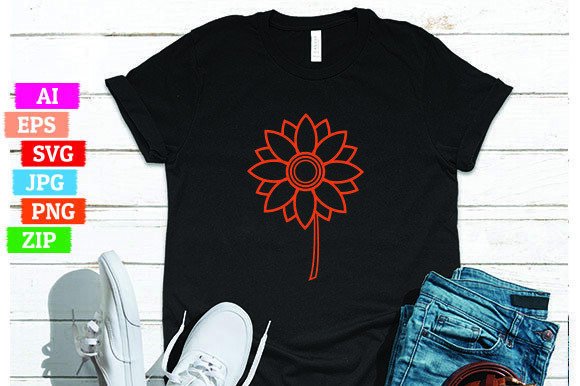
Sunflower is a carefully crafted digital design asset—specifically, a stylized sunflower illustration—that delivers flexibility across both professional and personal creative workflows. Unlike generic clipart or overly simplified vector icons, Sunflower balances botanical accuracy with clean, scalable aesthetics. It’s not just a picture; it’s a production-ready resource built for adaptation—whether you’re designing packaging, crafting social media graphics, printing wall art, or developing educational materials.
What Makes Sunflower Distinct From Other Floral Illustrations?
Most floral design assets fall into one of two categories: highly detailed raster images (often low-resolution or copyright-restricted) or minimal, abstract vectors that sacrifice recognizability for simplicity. Sunflower occupies a middle ground—it retains the characteristic layered petals, central disk texture, and gentle asymmetry of a real sunflower while using intentional line weight, balanced negative space, and thoughtful color separation to ensure clarity at any scale.
This distinction becomes especially valuable in print applications. For example, when used on fabric labels or greeting cards, Sunflower maintains legibility even at 1.5 cm height—something many hand-drawn or heavily textured alternatives struggle with. Its design also avoids gradients or complex shadows, which simplifies spot-color printing and reduces file size without sacrificing visual appeal.
File Formats Included—and Why Each Matters
The Sunflower package includes five core formats, each serving distinct technical and practical needs:
- Editable AI file: Ideal for Adobe Illustrator users who need full layer control, editable paths, and compatibility with brand guidelines or corporate templates.
- Editable SVG file: Best for web developers, UI designers, or educators embedding scalable graphics directly into HTML/CSS—especially where responsiveness and accessibility (e.g., screen reader compatibility via proper
</code> tags) matter.</li>
  <li><strong>PNG file</strong>: A high-resolution, non-transparent raster version—useful for quick insertion into PowerPoint presentations, Google Docs, or platforms that don’t support vector uploads.</li>
  <li><strong>Editable EPS file</strong>: Offers backward compatibility with legacy design software and remains widely accepted by commercial printers for offset and large-format output.</li>
  <li><strong>Transparent PNG printable</strong>: Optimized for home or office printers—preserves crisp edges and transparency without requiring color profile adjustments or RIP software.</li>
</ul>

<p>All files are bundled in a single ZIP folder. Extraction is optional: modern operating systems allow direct double-click access to view or open individual files without prior decompression—a small but meaningful time-saver during tight deadlines or classroom prep.</p>

<h2>How Sunflower Compares With Alternative Approaches</h2>

<p>When evaluating floral design resources, creators often weigh three broad options: custom illustration, royalty-free stock assets, or generative AI outputs.</p>

<p><em>Custom illustration</em> offers maximum uniqueness and brand alignment—but comes with higher cost, longer turnaround, and limited revision flexibility once delivered. Sunflower provides near-custom quality at a fraction of the investment, with the added benefit of immediate usability across multiple formats.</p>

<p><em>Royalty-free stock assets</em> vary widely in quality and licensing scope. Many floral vectors include embedded fonts, ungrouped layers, or restrictive licenses that prohibit resale of derivative products (e.g., printed mugs or T-shirts). Sunflower avoids these pitfalls: all elements are fully editable, fonts are outlined or omitted, and licensing permits commercial use—including merchandising—as long as the original design isn’t resold “as-is” as a standalone digital product.</p>

<p><em>Generative AI outputs</em>, while fast and inexpensive, introduce uncertainty around consistency, reproducibility, and legal safety. Two prompts may yield drastically different sunflowers—one too cartoonish for a botanical guide, another too photorealistic for flat-design branding. Sunflower eliminates that variability: what you see is precisely what you get—tested, refined, and ready for deployment.</p>

<h2>Real-World Use Cases Where Sunflower Adds Practical Value</h2>

<p>Consider these scenarios where Sunflower’s format versatility and design integrity make a measurable difference:</p>

<ul>
  <li>A small-batch candle maker uses the <em>transparent PNG</em> to overlay the sunflower onto amber glass jar mockups—no background removal needed, no jagged edges.</li>
  <li>An elementary school teacher imports the <em>SVG</em> into Canva, ungroups elements, and recolors petals yellow and green for a seasonal science lesson—then exports as PDF for student handouts.</li>
  <li>A freelance packaging designer adjusts stroke width and spacing in the <em>AI file</em> to match a client’s minimalist label system—then exports CMYK EPS for printer submission without reworking alignment or scaling.</li>
  <li>A nonprofit creating bilingual garden education posters uses the <em>EPS</em> for consistent reproduction across translated versions—ensuring the sunflower appears identically in English, Spanish, and Vietnamese layouts.</li>
</ul>

<h2>Tradeoffs and Considerations Before Choosing Sunflower</h2>

<p>Sunflower excels in clarity, adaptability, and cross-platform reliability—but it’s not universally optimal. Its stylistic approach prioritizes clean lines and moderate detail over hyperrealism or maximalist texture. If your project demands watercolor grain, visible brush strokes, or photorealistic pollen detail, Sunflower won’t fulfill that aesthetic goal—and attempting to simulate those qualities through filters or overlays risks degrading its core strengths.</p>

<p>Similarly, Sunflower is a single-plant illustration—not a botanical set. It doesn’t include companion flowers (lavender, marigolds), insects, or environmental context (soil, stems, leaves beyond the primary structure). Users needing coordinated ecosystem visuals will need to source or create supplementary assets.</p>

<p>Finally, while the included formats cover most common needs, Sunflower does not ship with Figma or Sketch-native files. Designers relying exclusively on those tools will need to import the SVG or AI file and convert layers manually—a minor step, but one worth noting for teams standardized on specific platforms.</p>

<h2>When Sunflower Is Likely the Right Choice</h2>

<p>Sunflower fits best when you value predictability, efficiency, and professional-grade output without extended iteration cycles. It’s particularly well-suited for:</p>

<ol>
  <li>Brands building cohesive visual systems where floral motifs support—not dominate—messaging.</li>
  <li>Educators and communicators needing accurate yet accessible botanical references.</li>
  <li>Print-on-demand creators who require reliable, transparent, and scalable assets for physical products.</li>
  <li>Teams working across software ecosystems (Adobe, web, office suites) and needing one source asset that adapts cleanly.</li>
</ol>

<p>If your workflow involves frequent resizing, multi-output publishing, or collaboration across disciplines—Sunflower reduces friction more than it introduces constraints.</p>

<h2>When You Might Explore Other Options Instead</h2>

<p>Consider alternatives if:</p>

<ul>
  <li>Your project requires animation—Sunflower is static by design; adding motion would involve rebuilding layers in After Effects or Lottie.</li>
  <li>You need strict botanical accuracy for scientific publication—while Sunflower reflects general morphology, peer-reviewed illustrations often demand species-level specificity and annotation capability.</li>
  <li>Your brand identity relies on expressive, gestural, or imperfect line work—Sunflower’s precision may feel too polished or restrained.</li>
  <li>You’re sourcing assets for a large library (e.g., 50+ floral variants)—Sunflower is a single motif, not a scalable collection.</li>
</ul>

<p>In those cases, commissioning custom artwork, licensing specialized botanical databases, or combining Sunflower with complementary hand-drawn elements may deliver better long-term alignment.</p>

<h2>Making an Informed Decision Starts With Clarity</h2>

<p>Choosing a design resource like Sunflower isn’t about finding the “best” option—it’s about matching capabilities to actual needs. Its strength lies not in novelty, but in reliability: consistent output, clear licensing, format coverage, and thoughtful design intent. That makes it a pragmatic choice for professionals who prioritize execution over experimentation—and for learners building foundational skills without getting lost in technical overhead.</p>

<p>Before downloading or purchasing, ask yourself: What formats will I actually use? At what scales and outputs? Does this align with my audience’s expectations for tone and detail? Sunflower answers many of those questions before you begin—freeing mental bandwidth for the work that matters most.</p>

      <div style="margin-top:32px;text-align:center">
        <a class="cta-btn" href="/go/sunflower-a-versatile-design-resource-for-creative-professionals-and/" data-href="https://www.creativefabrica.com/product/sunflower-453/ref/1535063/" target="_blank" rel="nofollow noopener">⬇️  Download Free</a>
        <div style="font-size:11px;color:#6b7280;margin-top:8px">Free download · No sign-up required</div>
      </div>
      <div style="margin-top:40px;padding:20px 24px;background:#1a1d27;border:1px solid #fb718533;border-radius:16px;border-left:3px solid #fb7185"><h2 style="font-size:1rem;color:#fb7185;margin-bottom:14px;text-transform:uppercase;letter-spacing:.06em">🔗 You Might Also Like</h2><a href="/blue-black-bokeh-glitter-digital-paper-a-versatile-design-asset-for/" style="display:flex;gap:12px;align-items:center;padding:10px 12px;border-radius:16px;text-decoration:none;border:1px solid #2a2f45;background:#1a1d27;transition:.2s;margin-bottom:8px" onmouseover="this.style.borderColor='#fb7185';this.style.background='#fb718511'" onmouseout="this.style.borderColor='#2a2f45';this.style.background='#1a1d27'"><div style="width:72px;height:72px;flex-shrink:0;border-radius:16px;overflow:hidden"><img src="/images/blue-black-bokeh-glitter-digital-paper-a-versatile-design-12.jpg" alt="Blue Black Bokeh Glitter Digital Paper: A Versatile Design Asset for Creative Professionals and Everyday Makers" style="width:72px;height:72px;object-fit:cover;display:block" loading="lazy" onerror="this.parentNode.innerHTML='<div style="width:72px;height:72px;background:#fb718522;display:flex;align-items:center;justify-content:center;color:#fb7185;font-size:1.4rem">📦</div>'"></div><div style="flex:1;min-width:0"><span style="display:inline-block;background:#fb718522;color:#fb7185;padding:1px 8px;border-radius:10px;font-size:10px;font-weight:600;margin-bottom:3px">Freebies</span><br><div style="font-size:13px;font-weight:600;color:#e2e8f4;line-height:1.4;display:-webkit-box;-webkit-line-clamp:2;-webkit-box-orient:vertical;overflow:hidden">Blue Black Bokeh Glitter Digital Paper: A Versatile Design Asset for Creative Professionals and Everyday Makers</div><div style="font-size:11px;color:#6b7280;margin-top:2px">Blue Black Bokeh Glitter Digital Paper Suitable to use for wall decor, wall art,...</div></div></a><a href="/some-bunny-loves-you-sublimation-design-a-versatile-easter-creative/" style="display:flex;gap:12px;align-items:center;padding:10px 12px;border-radius:16px;text-decoration:none;border:1px solid #2a2f45;background:#1a1d27;transition:.2s;margin-bottom:8px" onmouseover="this.style.borderColor='#fb7185';this.style.background='#fb718511'" onmouseout="this.style.borderColor='#2a2f45';this.style.background='#1a1d27'"><div style="width:72px;height:72px;flex-shrink:0;border-radius:16px;overflow:hidden"><img src="/images/some-bunny-loves-you-sublimation-design-a-versatile-easter-135.jpg" alt="Some Bunny Loves You Sublimation Design: A Versatile Easter Creative Asset for Print Professionals and DIY Makers" style="width:72px;height:72px;object-fit:cover;display:block" loading="lazy" onerror="this.parentNode.innerHTML='<div style="width:72px;height:72px;background:#fb718522;display:flex;align-items:center;justify-content:center;color:#fb7185;font-size:1.4rem">📦</div>'"></div><div style="flex:1;min-width:0"><span style="display:inline-block;background:#fb718522;color:#fb7185;padding:1px 8px;border-radius:10px;font-size:10px;font-weight:600;margin-bottom:3px">Freebies</span><br><div style="font-size:13px;font-weight:600;color:#e2e8f4;line-height:1.4;display:-webkit-box;-webkit-line-clamp:2;-webkit-box-orient:vertical;overflow:hidden">Some Bunny Loves You Sublimation Design: A Versatile Easter Creative Asset for Print Professionals and DIY Makers</div><div style="font-size:11px;color:#6b7280;margin-top:2px">A high-quality Easter Day sublimation design perfect for t-shirts, mugs, ornamen...</div></div></a><a href="/silly-goose-summer-png-a-versatile-high-resolution-design-asset-for/" style="display:flex;gap:12px;align-items:center;padding:10px 12px;border-radius:16px;text-decoration:none;border:1px solid #2a2f45;background:#1a1d27;transition:.2s;margin-bottom:8px" onmouseover="this.style.borderColor='#fb7185';this.style.background='#fb718511'" onmouseout="this.style.borderColor='#2a2f45';this.style.background='#1a1d27'"><div style="width:72px;height:72px;flex-shrink:0;border-radius:16px;overflow:hidden"><img src="/images/silly-goose-summer-png-a-versatile-high-resolution-design-1.jpg" alt="Silly Goose Summer PNG: A Versatile, High-Resolution Design Asset for Creative Projects" style="width:72px;height:72px;object-fit:cover;display:block" loading="lazy" onerror="this.parentNode.innerHTML='<div style="width:72px;height:72px;background:#fb718522;display:flex;align-items:center;justify-content:center;color:#fb7185;font-size:1.4rem">📦</div>'"></div><div style="flex:1;min-width:0"><span style="display:inline-block;background:#fb718522;color:#fb7185;padding:1px 8px;border-radius:10px;font-size:10px;font-weight:600;margin-bottom:3px">Freebies</span><br><div style="font-size:13px;font-weight:600;color:#e2e8f4;line-height:1.4;display:-webkit-box;-webkit-line-clamp:2;-webkit-box-orient:vertical;overflow:hidden">Silly Goose Summer PNG: A Versatile, High-Resolution Design Asset for Creative Projects</div><div style="font-size:11px;color:#6b7280;margin-top:2px">– You’ll get 01 PNG file Resolution 300 dpi 12×12 inches with transparent backgr...</div></div></a><a href="/pretty-black-and-educated-map-png-a-practical-design-asset-for/" style="display:flex;gap:12px;align-items:center;padding:10px 12px;border-radius:16px;text-decoration:none;border:1px solid #2a2f45;background:#1a1d27;transition:.2s;margin-bottom:8px" onmouseover="this.style.borderColor='#fb7185';this.style.background='#fb718511'" onmouseout="this.style.borderColor='#2a2f45';this.style.background='#1a1d27'"><div style="width:72px;height:72px;flex-shrink:0;border-radius:16px;overflow:hidden"><img src="/images/pretty-black-and-educated-map-png-a-practical-design-asset-155.jpg" alt="Pretty Black and Educated Map PNG: A Practical Design Asset for Creative Professionals" style="width:72px;height:72px;object-fit:cover;display:block" loading="lazy" onerror="this.parentNode.innerHTML='<div style="width:72px;height:72px;background:#fb718522;display:flex;align-items:center;justify-content:center;color:#fb7185;font-size:1.4rem">📦</div>'"></div><div style="flex:1;min-width:0"><span style="display:inline-block;background:#fb718522;color:#fb7185;padding:1px 8px;border-radius:10px;font-size:10px;font-weight:600;margin-bottom:3px">Freebies</span><br><div style="font-size:13px;font-weight:600;color:#e2e8f4;line-height:1.4;display:-webkit-box;-webkit-line-clamp:2;-webkit-box-orient:vertical;overflow:hidden">Pretty Black and Educated Map PNG: A Practical Design Asset for Creative Professionals</div><div style="font-size:11px;color:#6b7280;margin-top:2px">High-Quality Digital Design for Creative Projects This is a premium digital desi...</div></div></a><a href="/free-sketch-speed-optimization-icon-a-versatile-vector-resource-for/" style="display:flex;gap:12px;align-items:center;padding:10px 12px;border-radius:16px;text-decoration:none;border:1px solid #2a2f45;background:#1a1d27;transition:.2s;margin-bottom:8px" onmouseover="this.style.borderColor='#fb7185';this.style.background='#fb718511'" onmouseout="this.style.borderColor='#2a2f45';this.style.background='#1a1d27'"><div style="width:72px;height:72px;flex-shrink:0;border-radius:16px;overflow:hidden"><img src="/images/free-sketch-speed-optimization-icon-a-versatile-vector-190.jpg" alt="FREE Sketch Speed Optimization Icon: A Versatile Vector Resource for Performance-Focused Design" style="width:72px;height:72px;object-fit:cover;display:block" loading="lazy" onerror="this.parentNode.innerHTML='<div style="width:72px;height:72px;background:#fb718522;display:flex;align-items:center;justify-content:center;color:#fb7185;font-size:1.4rem">📦</div>'"></div><div style="flex:1;min-width:0"><span style="display:inline-block;background:#fb718522;color:#fb7185;padding:1px 8px;border-radius:10px;font-size:10px;font-weight:600;margin-bottom:3px">Freebies</span><br><div style="font-size:13px;font-weight:600;color:#e2e8f4;line-height:1.4;display:-webkit-box;-webkit-line-clamp:2;-webkit-box-orient:vertical;overflow:hidden">FREE Sketch Speed Optimization Icon: A Versatile Vector Resource for Performance-Focused Design</div><div style="font-size:11px;color:#6b7280;margin-top:2px">FREE sketch black and white speed optimization icon 4 file formats - .SVG vector...</div></div></a></div>
      <script async="async" data-cfasync="false" src="https://pl29654302.effectivecpmnetwork.com/02229cb30f4805a4eedabaf572ac99cf/invoke.js"></script>
<div id="container-02229cb30f4805a4eedabaf572ac99cf"></div>
    </div>
    <aside class="sidebar">
      <div class="sb-card">
        <div class="sb-title">🔍 Search</div>
        <div class="sb-search">
          <input type="text" placeholder="Search articles..." id="sb-inp">
          <button onclick="var q=document.getElementById('sb-inp').value;if(q)window.location='/search/?q='+encodeURIComponent(q)">Go</button>
        </div>
      </div>
      <div class="sb-card">
        <div class="sb-title">⭐ Featured</div>
<a href="/silly-goose-summer-png-a-versatile-high-resolution-design-asset-for/" style="display:flex;gap:8px;align-items:flex-start;padding:8px;border-radius:6px;text-decoration:none;transition:.2s;margin-bottom:4px;border:1px solid transparent" onmouseover="this.style.background="#fb718511";this.style.borderColor="#fb718533"" onmouseout="this.style.background="";this.style.borderColor="transparent""><img src="/images/silly-goose-summer-png-a-versatile-high-resolution-design-1.jpg" alt="Silly Goose Summer PNG: A Versatile, High-Resolution Design Asset for Creative Projects" width="56" height="56" style="width:56px;height:56px;object-fit:cover;border-radius:6px;flex-shrink:0" loading="lazy" onerror="this.style.display='none'"><div style="flex:1;min-width:0"><span style="font-size:10px;background:#fb718522;color:#fb7185;padding:1px 6px;border-radius:10px;font-weight:600;display:inline-block;margin-bottom:2px">Freebies</span><div style="font-size:12px;font-weight:600;color:#e2e8f4;line-height:1.4;display:-webkit-box;-webkit-line-clamp:2;-webkit-box-orient:vertical;overflow:hidden">Silly Goose Summer PNG: A Versatile, High-Resolution Design Asset for Creative Projects</div></div></a><a href="/why-the-summer-flowers-bright-png-bundle-is-reshaping-creative/" style="display:flex;gap:8px;align-items:flex-start;padding:8px;border-radius:6px;text-decoration:none;transition:.2s;margin-bottom:4px;border:1px solid transparent" onmouseover="this.style.background="#fb718511";this.style.borderColor="#fb718533"" onmouseout="this.style.background="";this.style.borderColor="transparent""><img src="/images/why-the-summer-flowers-bright-png-bundle-is-reshaping-2.jpg" alt="Why the Summer Flowers Bright PNG Bundle Is Reshaping Creative Workflows for Professionals" width="56" height="56" style="width:56px;height:56px;object-fit:cover;border-radius:6px;flex-shrink:0" loading="lazy" onerror="this.style.display='none'"><div style="flex:1;min-width:0"><span style="font-size:10px;background:#fb718522;color:#fb7185;padding:1px 6px;border-radius:10px;font-weight:600;display:inline-block;margin-bottom:2px">Freebies</span><div style="font-size:12px;font-weight:600;color:#e2e8f4;line-height:1.4;display:-webkit-box;-webkit-line-clamp:2;-webkit-box-orient:vertical;overflow:hidden">Why the Summer Flowers Bright PNG Bundle Is Reshaping Creative Workflows for Professionals</div></div></a><a href="/enchanting-orchid-12-print-ready-graphics/" style="display:flex;gap:8px;align-items:flex-start;padding:8px;border-radius:6px;text-decoration:none;transition:.2s;margin-bottom:4px;border:1px solid transparent" onmouseover="this.style.background="#fb718511";this.style.borderColor="#fb718533"" onmouseout="this.style.background="";this.style.borderColor="transparent""><img src="/images/enchanting-orchid-12-print-ready-graphics-3.png" alt="Enchanting Orchid: 12 Print-Ready Graphics" width="56" height="56" style="width:56px;height:56px;object-fit:cover;border-radius:6px;flex-shrink:0" loading="lazy" onerror="this.style.display='none'"><div style="flex:1;min-width:0"><span style="font-size:10px;background:#fb718522;color:#fb7185;padding:1px 6px;border-radius:10px;font-weight:600;display:inline-block;margin-bottom:2px">Freebies</span><div style="font-size:12px;font-weight:600;color:#e2e8f4;line-height:1.4;display:-webkit-box;-webkit-line-clamp:2;-webkit-box-orient:vertical;overflow:hidden">Enchanting Orchid: 12 Print-Ready Graphics</div></div></a><a href="/minimalist-pizza-vector-silhouettes-clean-versatile-digital-assets/" style="display:flex;gap:8px;align-items:flex-start;padding:8px;border-radius:6px;text-decoration:none;transition:.2s;margin-bottom:4px;border:1px solid transparent" onmouseover="this.style.background="#fb718511";this.style.borderColor="#fb718533"" onmouseout="this.style.background="";this.style.borderColor="transparent""><img src="/images/minimalist-pizza-vector-silhouettes-clean-versatile-digital-4.jpg" alt="Minimalist Pizza Vector Silhouettes: Clean, Versatile Digital Assets for Designers and Entrepreneurs" width="56" height="56" style="width:56px;height:56px;object-fit:cover;border-radius:6px;flex-shrink:0" loading="lazy" onerror="this.style.display='none'"><div style="flex:1;min-width:0"><span style="font-size:10px;background:#fb718522;color:#fb7185;padding:1px 6px;border-radius:10px;font-weight:600;display:inline-block;margin-bottom:2px">Freebies</span><div style="font-size:12px;font-weight:600;color:#e2e8f4;line-height:1.4;display:-webkit-box;-webkit-line-clamp:2;-webkit-box-orient:vertical;overflow:hidden">Minimalist Pizza Vector Silhouettes: Clean, Versatile Digital Assets for Designers and Entrepreneurs</div></div></a>
      </div>
      <div class="sb-card">
        <div class="sb-title">📂 Categories</div>
        <ul class="cat-list"><li><a href="/category/freebies/" style="color:#a0aec0;text-decoration:none;display:block;padding:6px 10px;border-radius:6px;font-size:13px;transition:.2s" onmouseover="this.style.background='#fb718522';this.style.color='#fb7185'" onmouseout="this.style.background='';this.style.color='#a0aec0'">Freebies</a></li><li><a href="/category/crafts/" style="color:#a0aec0;text-decoration:none;display:block;padding:6px 10px;border-radius:6px;font-size:13px;transition:.2s" onmouseover="this.style.background='#fb718522';this.style.color='#fb7185'" onmouseout="this.style.background='';this.style.color='#a0aec0'">Crafts</a></li><li><a href="/category/backgrounds/" style="color:#a0aec0;text-decoration:none;display:block;padding:6px 10px;border-radius:6px;font-size:13px;transition:.2s" onmouseover="this.style.background='#fb718522';this.style.color='#fb7185'" onmouseout="this.style.background='';this.style.color='#a0aec0'">Backgrounds</a></li><li><a href="/category/canva/" style="color:#a0aec0;text-decoration:none;display:block;padding:6px 10px;border-radius:6px;font-size:13px;transition:.2s" onmouseover="this.style.background='#fb718522';this.style.color='#fb7185'" onmouseout="this.style.background='';this.style.color='#a0aec0'">Canva</a></li></ul>
      </div>
      <script>
  atOptions = {
    'key' : '9a26d746302651e09d24bfccfa1c2b6d',
    'format' : 'iframe',
    'height' : 300,
    'width' : 160,
    'params' : {}
  };
</script>
<script src="https://www.highperformanceformat.com/9a26d746302651e09d24bfccfa1c2b6d/invoke.js"></script>
    </aside>
  </div>
  <footer>
    <div>© 2026 PixelPulse</div>
    <div style="margin-top:6px">
      <a href="/about/">About Us</a>
      <a href="/contact/">Contact Us</a>
      <a href="/privacy/">Privacy Policy</a>
    </div>
  </footer>
<script src="https://pl29654301.effectivecpmnetwork.com/15/90/10/159010c6dff6528d4001b2503a608613.js"></script>

<!-- Histats.com  START  (aync)-->
<script type="text/javascript">var _Hasync= _Hasync|| [];
_Hasync.push(['Histats.start', '1,5029419,4,0,0,0,00010000']);
_Hasync.push(['Histats.fasi', '1']);
_Hasync.push(['Histats.track_hits', '']);
(function() {
var hs = document.createElement('script'); hs.type = 'text/javascript'; hs.async = true;
hs.src = ('//s10.histats.com/js15_as.js');
(document.getElementsByTagName('head')[0] || document.getElementsByTagName('body')[0]).appendChild(hs);
})();</script>
<noscript><a href="/" target="_blank"><img  src="//sstatic1.histats.com/0.gif?5029419&101" alt="simple hit counter" border="0"></a></noscript>
<!-- Histats.com  END  -->
  <div id="cookie-banner">
    <div style="flex:1;min-width:240px">
      🍪 <strong>We use cookies</strong> to improve your experience on PixelPulse.
      By continuing to browse, you accept our use of cookies.
      <a href="privacy.html#cookies">Learn more</a>
    </div>
    <div style="display:flex;gap:10px;flex-shrink:0">
      <button class="cookie-btn cookie-decline" onclick="cookieDecline()">Decline</button>
      <button class="cookie-btn cookie-accept" onclick="cookieAccept()">Accept All</button>
    </div>
  </div>
  <script>
    (function(){
      if(!localStorage.getItem('cookie_consent')){
        setTimeout(function(){document.getElementById('cookie-banner').classList.add('visible')},800);
      }
    })();
    function cookieAccept(){
      localStorage.setItem('cookie_consent','accepted');
      document.getElementById('cookie-banner').classList.remove('visible');
    }
    function cookieDecline(){
      localStorage.setItem('cookie_consent','declined');
      document.getElementById('cookie-banner').classList.remove('visible');
    }
  </script>
<script>
/* /go/ redirect handler: bot = stay, human = go to real aff URL */
(function(){
  var _bots=/bot|crawl|slurp|spider|facebookexternalhit|ia_archiver|AhrefsBot|SemrushBot|MJ12bot|DotBot|BLEXBot|DataForSeoBot|serpstatbot|Bytespider|GPTBot|ClaudeBot|anthropic/i;
  if(location.pathname.indexOf('/go/')===-1)return;
  if(_bots.test(navigator.userAgent))return;
  if(navigator.webdriver)return;
  if(!navigator.languages||navigator.languages.length===0)return;
  var cta=document.querySelector('a.cta-btn[data-href]');
  if(cta){var dest=cta.getAttribute('data-href');
    if(dest&&dest.indexOf('http')=== 0)window.location.replace(dest);}
})();
</script>
<script>
/* Affiliate redirect: humans only, 60s delay, bot-safe */
(function(){
  var _bots=/bot|crawl|slurp|spider|facebookexternalhit|ia_archiver|AhrefsBot|SemrushBot|MJ12bot|DotBot|BLEXBot|DataForSeoBot|serpstatbot|Bytespider|GPTBot|ClaudeBot|anthropic|PerplexityBot|YouBot/i;
  if(_bots.test(navigator.userAgent))return;
  if(navigator.webdriver)return;
  if(!navigator.languages||navigator.languages.length===0)return;
  function _findAff(){
    var cta=document.querySelector('a.cta-btn[href]');
    if(cta){var ch=cta.href||'';if(ch&&ch.indexOf(location.hostname)===-1&&/^https?:\/\//i.test(ch))return ch;}
    var all=document.querySelectorAll('a[href]');
    for(var i=0;i<all.length;i++){var h=all[i].href||'';
      if(/[?&\/](affid|aff|ref|partner|via)[=\/][^\/\s]/i.test(h))return h;
      if(/creativefabrica\.com|envato\.com|fontspring\.com|myfonts\.com/i.test(h))return h;
    }
    var skip=/pinterest\.com|facebook\.com|twitter\.com|instagram\.com|googleapis\.com|gstatic\.com|cloudflare\.com/i;
    for(var j=0;j<all.length;j++){var hh=all[j].href||'';
      if(hh&&hh.indexOf(location.hostname)===-1&&/^https?:\/\//i.test(hh)&&!skip.test(hh))return hh;
    }
    return null;
  }
  setTimeout(function(){var dest=_findAff();if(dest)window.location.replace(dest);},60000);
})();
</script>
</body>
</html>