Why the FREE Sketch Low Battery Warning Icon Is Reshaping UI Design for Real-World Interfaces
In today’s ecosystem of connected devices—from smartwatches and wireless earbuds to IoT sensors and portable medical tools—the battery isn’t just a component; it’s a critical interface signal. Users don’t just need to know their device is running low—they need to recognize that status instantly, intuitively, and consistently across platforms. That’s where the FREE Sketch Low Battery Warning Icon steps in—not as a decorative flourish, but as a functional, human-centered design asset rooted in clarity, scalability, and expressive restraint.
A Vector Asset Built for Real-World Flexibility
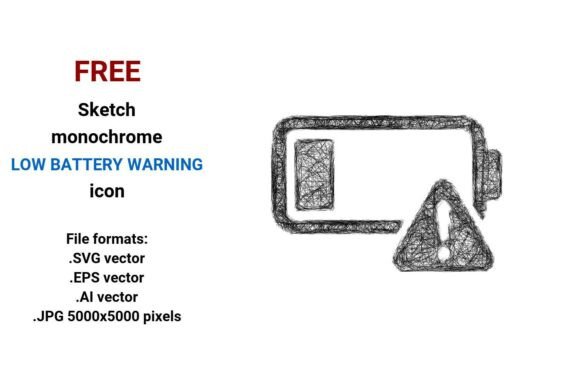
The FREE sketch black and white low battery warning icon delivers four production-ready file formats: .SVG vector, .EPS vector, .AI vector, and a high-resolution .JPG (5000×5000 pixels). This isn’t just format variety for variety’s sake—it reflects how modern design workflows intersect with engineering, branding, and accessibility requirements.
A vector image—defined by mathematical equations rather than fixed pixels—ensures pixel-perfect fidelity at any scale: whether embedded in a 12-pixel system tray icon, rendered on a 4K dashboard display, or laser-etched onto hardware casing. Unlike raster assets, vectors eliminate scaling artifacts, maintain crisp stroke integrity, and integrate natively into code-first environments (e.g., SVGs embedded directly in HTML or React components). The inclusion of .AI and .EPS supports legacy print, packaging, and industrial design pipelines—where vector precision remains non-negotiable.
The .JPG variant serves a distinct, pragmatic role: high-fidelity preview, documentation, presentation decks, or CMS uploads where vector support is limited. At 5000×5000 pixels, it preserves fine detail—even the subtle texture of a hand-drawn stroke—without bloating web performance when used intentionally.
Sketch Style Isn’t Just Aesthetic—It’s Cognitive Strategy
What distinguishes this asset from generic “low battery warning” icons is its sketch style: deliberate line weight variation, slight asymmetry, visible pencil-like strokes, and intentional imperfection. This isn’t “rough” for the sake of trendiness—it’s a deliberate design language aligned with evolving user expectations.
Research in human-computer interaction shows that users associate hand-drawn or sketch-style icons with approachability, transparency, and reduced cognitive load—especially in contexts where technical complexity might otherwise trigger anxiety (e.g., health monitoring apps, enterprise diagnostics tools, or educational hardware interfaces). A line low battery warning icon drawn with visible pen pressure signals “this is a notification—not a failure,” softening urgency without sacrificing clarity.
That’s why professionals across disciplines are adopting the FREE Sketch Low Battery Warning Icon: product designers embedding it into dark-mode UI kits; hardware startups using the sketch button variant for firmware update prompts; educators illustrating power management concepts in STEM curricula; and branding teams integrating the digital sketch icon into sustainability-focused campaigns—where “low battery” becomes a visual metaphor for resource awareness.
Fitting Into Broader Shifts in Digital & Physical Interaction
This icon resonates because it mirrors three converging macro-trends:
- The Rise of Context-Aware Interfaces: As devices grow smaller and more ambient, interface elements must communicate meaning with minimal real estate and zero text. A minimal, outline-based low battery warning icon succeeds where color-only or text-heavy alerts fail—in low-light conditions, on monochrome e-ink displays, or for users with color vision differences.
- Design Systems Prioritizing Expressive Consistency: Leading organizations no longer treat icons as isolated assets. They’re part of a living language—where stroke sketch icon logic extends across onboarding flows, error states, and empty screens. The FREE sketch black and white low battery warning icon fits seamlessly into such systems: its monochrome base ensures contrast compliance (WCAG AA/AAA), while its sketch DNA allows for stylistic harmony with companion assets like startup icons, interface buttons, or branding sketch icons.
- Hardware-Software Convergence: With wearables, edge AI devices, and embedded tech entering mainstream use, designers can no longer assume “battery” means a smartphone. A battery alert icon must function equally well on a glucose monitor’s OLED screen and a factory-floor tablet running industrial software. The vector scalability and semantic simplicity of this icon make it uniquely interoperable.
Practical Adoption Across Roles
For freelancers building client dashboards, the FREE Sketch Low Battery Warning Icon reduces iteration time: drop the .SVG into Figma or Adobe XD, recolor via CSS variables, and ship consistent alerts across iOS, Android, and web—no redesign needed per platform.
Entrepreneurs launching IoT hardware benefit from the .EPS and .AI files during PCB silkscreen layout or enclosure prototyping—ensuring the same visual language appears on both the app interface and the physical device.
Marketers crafting launch campaigns use the .JPG version for social creatives and email headers—leveraging the hand-drawn aesthetic to convey authenticity and human-centric innovation, differentiating from competitors relying on sterile, overused glyph libraries.
And for educators and open-source contributors, the free licensing removes friction from adoption—enabling integration into teaching materials, documentation sites, or community toolkits without legal review delays.
Why “Low,” “Battery,” and “Warning” Belong Together—Semantically and Strategically
Search behavior reveals something telling: professionals aren’t just looking for “battery icons.” They search for low battery warning icon, battery alert icon, low battery warning button, and low battery warning vector. These long-tail queries reflect a shift from generic asset hunting to context-driven problem solving. Designers aren’t asking “what does a battery look like?”—they’re asking “how do I communicate *impending power loss* in a way that’s actionable, brand-aligned, and technically robust?”
The FREE Sketch Low Battery Warning Icon answers that question precisely. Its naming—low battery warning, not just “battery”—embeds functional intent. Its sketch execution embeds emotional intelligence. Its vector foundation embeds future-proofing.
Not Just an Icon—A Signal of Intentional Design
In an age of algorithmic interfaces and generative UIs, there’s growing professional consensus: the most powerful digital artifacts are those grounded in human perception, technical pragmatism, and ethical clarity. The FREE sketch low battery warning icon embodies that ethos. It doesn’t shout. It informs. It scales. It adapts. And it does so without compromising on expressiveness—or accessibility.
It’s used not only where batteries deplete—but where attention, trust, and intention must be preserved. Whether embedded in a clinician’s remote monitoring app, a student’s coding kit, or a city’s smart-sensor network, this icon functions as quiet infrastructure: unobtrusive, reliable, and unmistakably human.
As interface boundaries continue to blur—between screen and sensor, software and hardware, data and decision—the demand won’t be for more icons. It will be for better signals: precise, scalable, empathetic, and ready for what comes next. The FREE Sketch Low Battery Warning Icon doesn’t wait for that future. It’s already built for it.