Social Media Video Backdrops for Reels
You’ve filmed your message. You’ve written the hook. But when it plays in the feed—next to polished, kinetic content—it feels flat. Not broken. Just… overlooked. That’s where Social Media Video Backdrops for Reels changes the game—not by asking you to overhaul your workflow, but by giving your vertical videos an instant visual upgrade that works with how people actually watch.
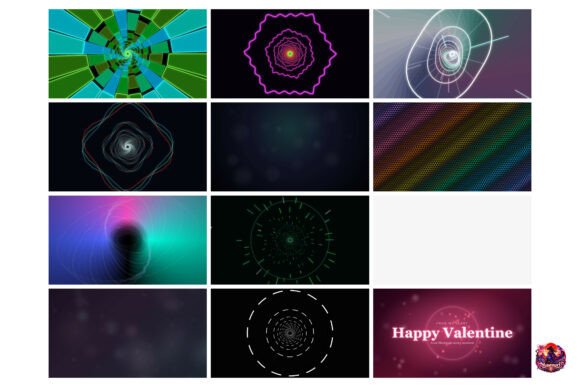
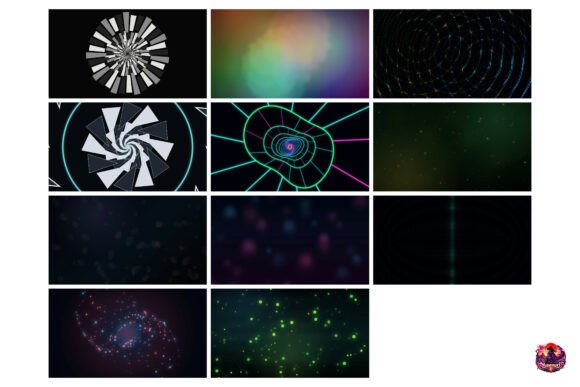
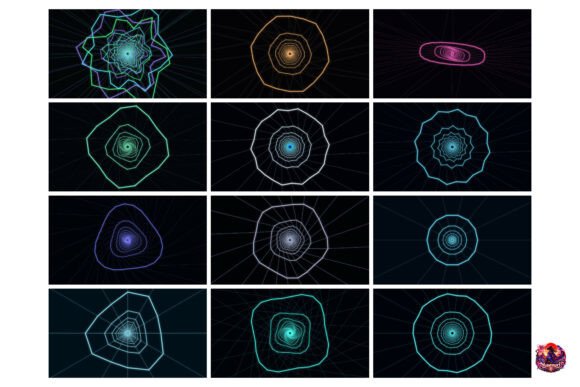
These aren’t static gradients or generic bokeh loops. They’re 20 high-energy, neon-lit geometric wireframe tunnels—each one built for motion, contrast, and rhythm. Think of them as dynamic canvases: glowing lines pulse, recede, and accelerate in sync with quick cuts, voiceover pacing, or on-screen text reveals. They’re designed to hold attention in the first 0.8 seconds—the critical window where feeds decide what stays and what vanishes.
Why a backdrop matters more than you think
A background isn’t just “what’s behind” your content. It’s part of your tone, your credibility, and your pacing. A cluttered or low-contrast backdrop drowns captions. A slow-moving loop undermines urgency. A mismatched aesthetic—even subtly—can make even expert advice feel amateurish.
That’s especially true for short-form video, where viewers scroll with intent, not patience. Your backdrop needs to support—not compete with—your message. These wireframe tunnels do both: they’re vivid enough to arrest attention, yet clean enough to keep focus on your words, face, or graphics.
How different creators use these backdrops
Beginners and solopreneurs often start with mobile apps like CapCut or Canva. They need assets that drop in without rendering delays, color grading, or layer masking. These MP4 files work instantly—no plugins, no tutorials. Crop to 9:16 in one tap. Add text. Export. Done. For someone juggling content, clients, and cash flow, speed and reliability matter more than granular control.
Marketers and educators rely on consistency across campaigns or course modules. A cohesive visual language—like the same tunnel motif recurring across tech explainers or startup tip series—builds recognition faster than logos alone. These backdrops offer variation (20 unique clips) while staying within a unified aesthetic: sharp, modern, energetic. No guesswork about whether clip #7 “feels right” next to clip #12.
Freelancers and agencies juggle tight deadlines and client expectations. When a small business owner asks for “something viral-looking but professional,” these backdrops deliver immediate polish—without needing motion design skills or extra stock subscriptions. They slot into Premiere Pro timelines as cleanly as any native asset, scale to 4K for future-proofing, and hold up under heavy text overlays or animated lower-thirds.
Hobbyists and educators building personal brands or classroom reels care about clarity and accessibility. The high-contrast neon geometry makes captions legible even on small screens or in noisy environments. No need to manually adjust brightness or add stroke effects—these backdrops are engineered for readability first.
What’s inside—and why each detail serves real work
- 20 MP4 clips, not templates or AE projects—so no software lock-in or learning curve. Just drag, drop, and go.
- 3840 × 2160 resolution means crisp detail at full width—and seamless cropping to vertical (1080 × 1920) without pixelation or stretching.
- Optimized for short-form storytelling: Each clip has intentional pacing—some accelerate for hooks, others sustain rhythm for voiceovers or step-by-step demos.
- Green-screen friendly—not because they replace your face, but because their consistent lighting and depth cues help composite talking-head footage smoothly, even on budget setups.
When this fits—and when it might not
This pack shines when your goal is impact, speed, and cohesion. If you’re producing daily Reels, TikTok tips, or Instagram announcements—and want visuals that feel intentional without demanding hours of editing—these backdrops reduce friction, not creativity.
They’re less ideal if you need fully customizable motion paths, brand-specific color palettes baked into every frame, or layered PSD/After Effects files for deep compositing. This isn’t a motion design toolkit—it’s a precision tool for short-form clarity.
It also assumes you’re working with clear audio and strong writing. A stunning backdrop won’t fix muffled audio or vague messaging—but it *will* make well-crafted content land harder, faster, and more memorably.
Real uses, real time saved
A freelance UX writer uses clip #5 behind quick UI tip reels—its steady inward motion mirrors the “zoom into the detail” feeling she wants viewers to experience. She exports from CapCut in under two minutes.
A community college instructor layers clip #12 beneath weekly “Tech in 60 Seconds” explainers. Students comment that the visuals help them retain concepts—especially when paired with bold, centered captions.
A boutique SaaS founder drops clip #3 behind founder interview snippets. The subtle glow adds production value without distracting from her candid answers—making early-stage product stories feel grounded and confident.
None of these users spent hours tweaking opacity masks or syncing keyframes. They chose a clip that matched the energy of their script, cropped it, added text, and published.
Getting started is simpler than you expect
You don’t need a new subscription. No trial period. No waiting for cloud renders. Everything arrives in one ZIP file—no email verification, no login walls. Open it. Drag a clip into your editor. Adjust duration. Add your voice or text. Done.
That simplicity is intentional. Because attention isn’t won with complexity—it’s won with clarity, confidence, and the quiet assurance that your visuals are doing their job, so you can focus on yours.