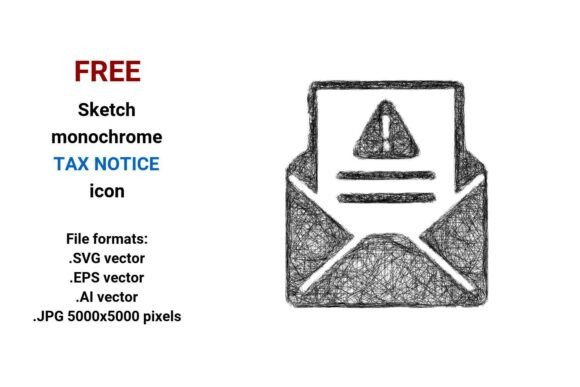
FREE Sketch Tax Notice Icon
Need a clear, flexible, and instantly recognizable visual for tax-related communications? The FREE Sketch Tax Notice Icon delivers exactly that — not as a stiff bureaucratic stamp, but as a hand-drawn, scalable vector asset that balances authority with approachability. It’s designed for real-world use: whether you’re building a small business dashboard, illustrating a financial literacy blog post, or designing an internal HR portal for tax season prep.
This isn’t just another generic icon. It’s a sketch-style line art illustration — clean, intentional, and subtly expressive — available in four production-ready formats: .SVG, .EPS, .AI, and high-res .JPG (5000×5000 pixels). That means you can drop it into web interfaces without pixelation, scale it to billboard size for print, edit individual paths in Illustrator, or embed it responsively in HTML — all while preserving its crisp, hand-drawn character.
Why sketch style works for official notice visuals
A tax notice carries weight. But “official” doesn’t have to mean “cold” or “intimidating.” The sketch tax notice icon uses deliberate line weight variation, slight organic imperfections, and open negative space to signal transparency and human-centered design — qualities increasingly expected by users interacting with government-adjacent tools, fintech apps, or educational platforms.
Unlike rigid clipart or over-polished icons, this sketch vector icon invites interpretation without sacrificing clarity. Its outline-first construction makes it ideal for isolated use: on buttons, in email headers, as part of a checklist graphic, or layered over subtle textures in presentations. Because it’s built as a vector image — defined by mathematical points and curves — resizing introduces zero quality loss. A 24px version on a mobile app toolbar looks as sharp as the same icon blown up to 30 inches wide on a training poster.
Practical uses across roles and platforms
Designers and developers can integrate the .SVG directly into websites or web apps using inline SVG markup — enabling CSS color control, hover effects, and accessibility attributes like aria-label="Tax notice". Pair it with a minimalist button label (“View Notice”) for consistent UX in tax filing interfaces.
Marketers and educators will find it especially useful in explainer content. Use the .JPG version in slide decks or infographics to visually anchor concepts like “filing deadlines,” “notice response steps,” or “what to do if you receive a letter from the IRS or HMRC.” Its sketch aesthetic softens complex topics — helping audiences process information without feeling overwhelmed.
Small business owners and freelancers can embed the icon into client-facing documents: invoices with tax notes, onboarding PDFs that reference compliance, or Notion dashboards tracking quarterly filings. The black-and-white version ensures legibility in grayscale printing and screen readers alike — supporting both accessibility and professional tone.
Bloggers and content creators benefit from its versatility in editorial illustration. Combine it with other hand-drawn icons (a calendar, envelope, or document) to build custom visual metaphors — e.g., “Your tax notice timeline,” or “What happens after you file?” — reinforcing narrative flow without stock-image fatigue.
Adapting the icon thoughtfully
Consistency matters — especially with official-looking assets. When using the FREE Sketch Tax Notice Icon, keep these principles in mind:
- Respect context: In formal government portals or legal disclosures, pair it with neutral typography and ample white space. In playful financial literacy tools for teens, layer it over soft pastel backgrounds or animate its lines drawing themselves on screen.
- Maintain contrast: Since it’s black-and-white, test readability against your background. On dark themes, use the inverted version (white lines on black) — easily achievable via CSS
filter: invert(1)for SVG or by editing the .AI/.EPS file. - Don’t over-decorate: Its strength lies in simplicity. Avoid adding shadows, glows, or gradients unless they serve a functional purpose (e.g., focus state on interactive elements). Let the line art speak for itself.
- Attribute appropriately: While free for personal and commercial use, always check the license terms. Most versions require no attribution — but verify before publishing in regulated industries like finance or public administration.
Going beyond the icon: building cohesive systems
Think of this tax notice icon not as a one-off download, but as a foundational element in a broader visual language. If you're designing a suite of tax-related tools — say, a filing assistant, audit prep guide, or small business compliance hub — use its sketch rhythm as inspiration for related assets: a hand-drawn document icon, a stamp-style “processed” badge, or even custom scribble-style dividers between sections.
For branding consistency, limit your palette to two or three core colors when introducing fills or accents — perhaps navy for authority, warm gray for neutrality, and a single accent hue (like burnt orange) for calls to action. This keeps the creative sketch icon feeling intentional, not arbitrary.
You can also extend its utility through smart formatting: convert the .SVG into a web font (using tools like IcoMoon), embed it as a React component with dynamic props, or import the .AI file into Figma to create variants — like a “draft notice” version with a light diagonal stripe overlay.
Final note: clarity starts with choice
The best icons don’t shout. They clarify. The FREE Sketch Tax Notice Icon succeeds because it meets users where they are — whether they’re reviewing a government notice for the first time or double-checking payroll compliance. Its sketch quality signals honesty; its vector precision guarantees reliability; its black-and-white format ensures universal compatibility.
It’s not about making tax feel fun. It’s about making it understandable, actionable, and human. And that begins with choosing the right visual cue — one that supports your message instead of competing with it.