FREE Sketch Chess King Icon: A Practical, Scalable Asset for Designers and Developers
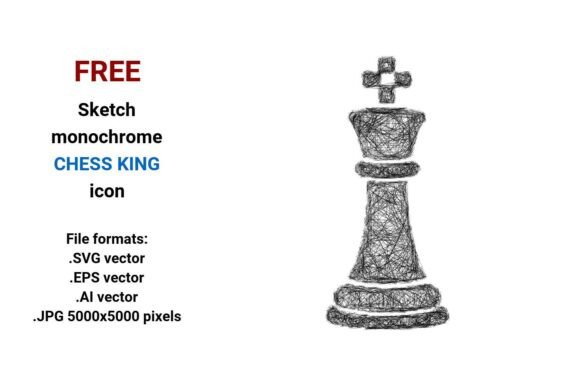
The FREE Sketch Chess King Icon is a deliberately minimal, hand-drawn representation of the chess king—rendered in clean black-and-white monochrome with expressive, slightly uneven linework. Unlike photorealistic or highly polished vector icons, this asset leans into intentional sketchiness: subtle pencil texture, organic stroke variation, and a sense of human gesture. It’s not “perfect”—and that’s its strength. Designed for visual contrast, conceptual clarity, and stylistic cohesion, it serves projects where authenticity, approachability, or creative tone matters more than rigid uniformity.
What You Actually Get—and Why Format Variety Matters
This resource includes four distinct file formats, each serving a specific production need:
- .SVG vector: Ideal for responsive websites, UI components, and modern web apps. Scales infinitely without blur or pixelation and integrates cleanly with CSS and JavaScript.
- .EPS vector: Compatible with legacy print workflows and older desktop publishing tools. Reliable for high-resolution physical outputs like brochures or packaging mockups.
- .AI vector: Fully editable in Adobe Illustrator—layers, paths, and anchor points remain intact. Useful if you need to adjust stroke weight, reposition elements, or adapt the icon to match an existing brand guideline.
- .JPG (5000×5000 px): A high-fidelity raster fallback. Suitable for presentations, social media banners, or situations where vector support isn’t available—but avoid scaling beyond original dimensions to preserve line integrity.
Having all four formats means you’re not forced to convert or compromise. A marketer building a campaign landing page can drop the SVG directly into HTML; an educator preparing a printable chess lesson handout can use the EPS in InDesign; a UI designer iterating on a board-game app interface can tweak the AI version to align with their component library.
Strengths Beyond Aesthetics: Usability and Integration
As a vector chess king, the FREE Sketch Chess King Icon holds up across contexts where resolution independence is non-negotiable. Its monochrome sketch style avoids color-matching issues, making it easy to recolor via CSS filters or Illustrator’s recolor tool. The linework is consistently weighted—not too thin to vanish at small sizes, not so thick that it loses detail at larger scales. At 24px, it reads clearly as a king piece; at 200px, the subtle irregularities in the crown and robe retain character without visual noise.
It works well as a chess king button in dashboard interfaces—especially when paired with similarly styled icons (e.g., a sketch rook or pawn). Because it’s editable sketch icon material, developers can apply hover states (stroke opacity shifts, gentle scale transforms) without needing custom code for raster assets. Designers using Figma or Sketch can import the SVG and treat it like any native vector object—no plugin required.
Who Benefits Most—and Where It Fits Naturally
This isn’t a universal replacement for every chess-related visual need. It excels in specific, well-defined scenarios:
- Educators and content creators building accessible, low-cognitive-load learning materials—its sketch style feels inviting, not intimidating, especially for beginners learning chess fundamentals.
- UI/UX designers working on game-adjacent tools (tutorials, analysis dashboards, move-history timelines) who want visual hierarchy without corporate sterility.
- Bloggers and publishers illustrating strategy articles or historical pieces about royal symbolism—its royal king connotation is legible but not ornate, avoiding cliché.
- Small business owners launching themed merchandise (e.g., notebook covers, enamel pins) where hand-drawn authenticity supports brand voice better than stock vectors.
It’s less suited for formal branding systems requiring strict geometric precision (e.g., banking or legal tech), or for accessibility-critical contexts where line clarity must meet WCAG contrast thresholds without adjustment—the current black-on-transparent background may require manual background fills for compliance.
Real-World Use: A Few Tested Applications
In a recent redesign of a chess-learning web app, the FREE Sketch Chess King Icon was used as the primary navigation indicator for the “King Moves” section. Paired with a light gray background and 1px stroke accent on hover, it maintained readability at 32px while reinforcing the app’s “learn by doing” ethos. No redraws were needed for mobile breakpoints—the SVG scaled cleanly.
A freelance illustrator incorporated the AI version into a series of custom chess-piece illustrations, using the base sketch as a starting point before adding subtle watercolor textures. Because anchor points and layer structure remained intact, editing took under five minutes—far faster than redrawing from scratch.
For a university’s open-access chess history archive, the JPG version was embedded in PDF lesson plans. At 100% zoom, the 5000×5000 resolution ensured crisp printing on A4 paper—even when placed beside scanned 19th-century engravings.
Practical Considerations and Minor Limitations
While the handdrawn chess king icon delivers strong stylistic coherence, it assumes a baseline level of vector literacy. Users unfamiliar with Illustrator’s path tools may find the AI file overwhelming at first glance—though opening it in Illustrator reveals a single-layer, ungrouped path, simplifying edits.
The sketch aesthetic intentionally avoids photorealism or 3D depth, so it won’t satisfy projects seeking dramatic lighting, metallic finishes, or isometric perspectives. Likewise, it’s a standalone king—not part of a full chess set. If you need matching queen, bishop, or knight icons in the same style, those must be sourced separately.
There’s no built-in accessibility metadata (e.g., descriptive alt text or ARIA labels), so developers embedding it as a chess king button should add semantic context manually—critical for screen reader users navigating interactive boards.
Final Assessment: When Simplicity Serves Strategy
The FREE Sketch Chess King Icon stands out not because it’s technically complex, but because it solves real problems with restraint: scalability without compromise, expressiveness without clutter, and flexibility without bloat. It respects the user’s time—no licensing friction, no subscription walls, no attribution requirements. For professionals who regularly balance speed, quality, and tone—whether designing a micro-interaction, prepping a classroom slide, or mocking up a product feature—it’s a quietly effective tool. It doesn’t try to be everything. It does one thing—represent the king piece with warmth, clarity, and technical reliability—and does it well. That focused utility, across four production-ready formats, makes it worth keeping in your working toolkit.